
Features
The work, the money, and the records — in one place.
Stedley is one app for the job itself, the paperwork it generates, and the numbers you need at the end of the year. Here is what each part actually does, with the screen it does it on.
Free while Stedley is in beta · no card required
Jobs & clients
The job holds everything about the job.
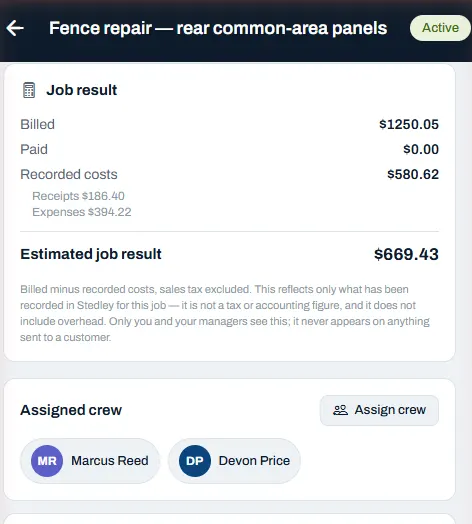
Open a job and the client, the address, the money it has billed and cost, the crew on it, what you owe a subcontractor and the next visit booked are all on the one screen. Nothing is filed somewhere else and nothing depends on remembering it. Repeat and recurring visits are set up once rather than rebuilt every week.
Estimates, proposals & invoices
One chain from the quote to the money.
A number you quoted should not have to be typed again to become a document, and a document should not have to be typed again to become a bill. In Stedley each stage carries the last one forward, and every step keeps a reference back to the step it came from.
01 · Estimate
Build the price from your own line items or pull them out of the price book, and the totals and the tax are worked out for you.
02 · Proposal
Turn the estimate into a client-ready document with scope, inclusions, exclusions and terms, and send it as a link.
03 · Invoice
Bill the approved work — in one go or in stages — and track what is draft, what is sent and what is still owed.
Time & crew
Hours counted on site, not reconstructed on Sunday.
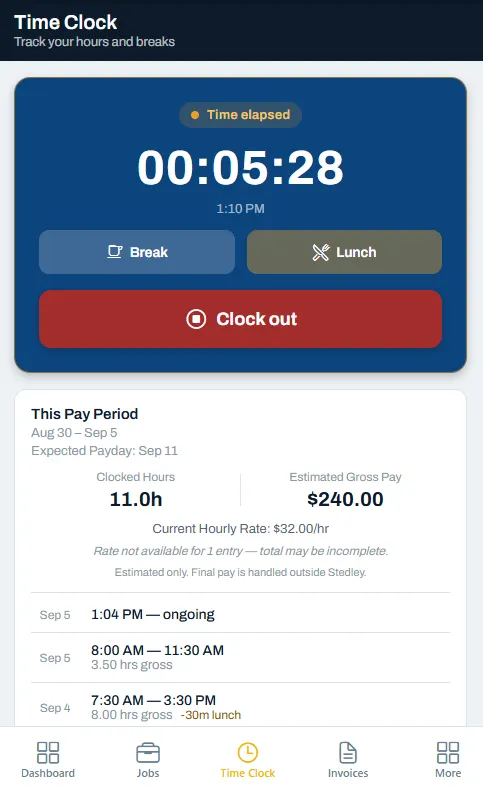
A worker clocks in against the job, takes a break or a lunch, and clocks out. Each entry is kept as its own line with the deduction shown, the pay period keeps a running total, and the hours land against the job they were worked on rather than in a separate timesheet.
The gross figure beside the hours is an estimate Stedley works out from the rate on file, and the app says so on the screen. Final pay is handled outside Stedley.
Receipts & expenses
The receipt gets dealt with while it is still in your hand.
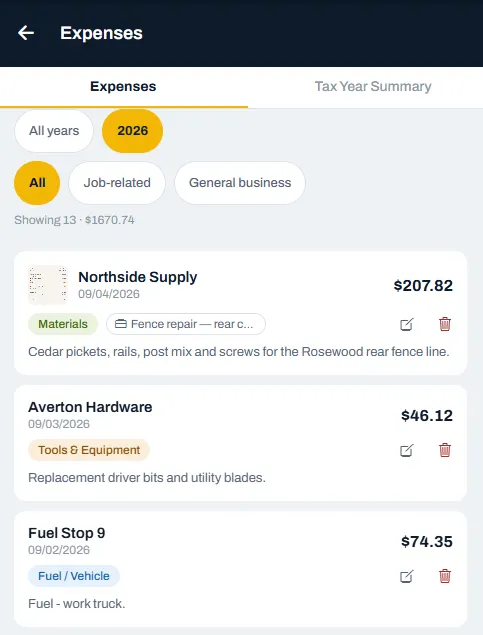
Photograph it on site, pick a category, and attach it to a job or keep it as general business. The list totals as you filter it, so the question of what a job actually cost has an answer that does not involve a shoebox.
Records & reporting
The year adds up without a weekend spent adding it up.
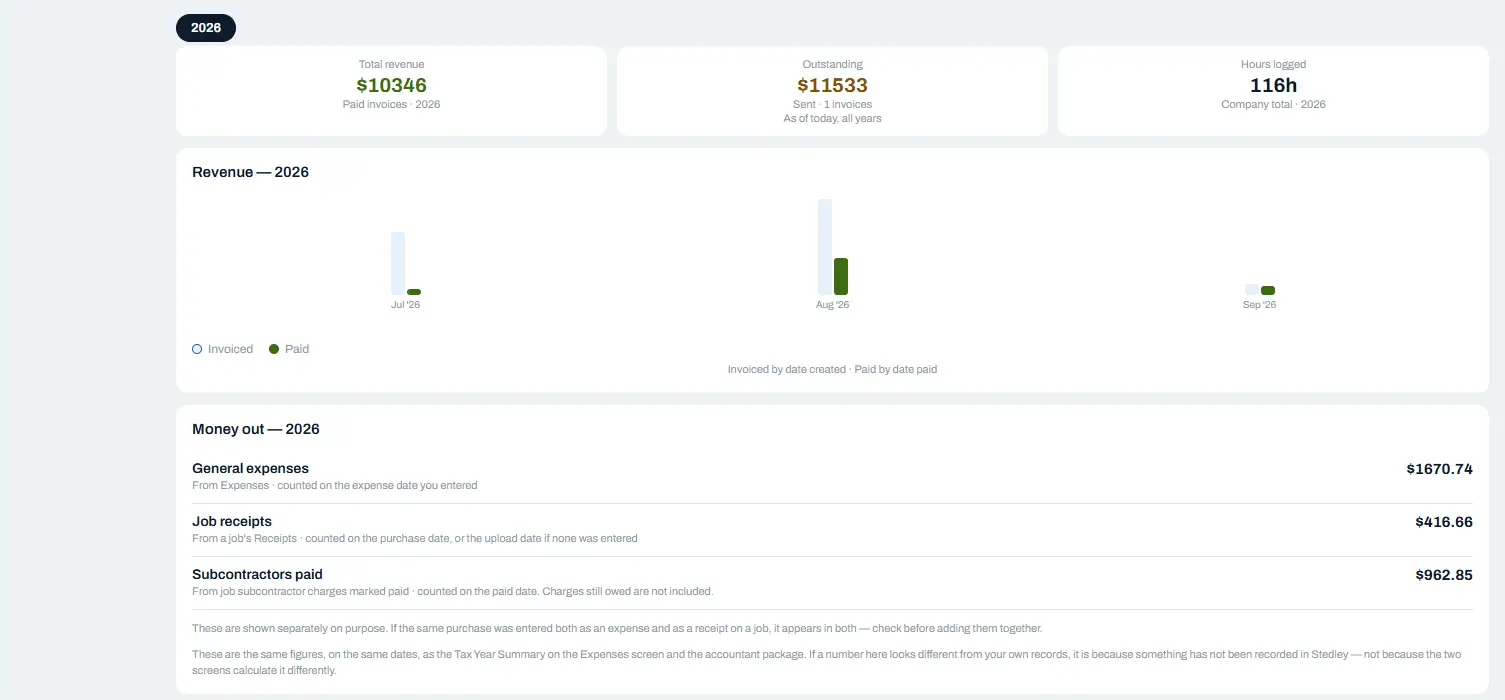
Money in and money out for the year, on the same dates and the same figures as Stedley's Tax Year Summary and accountant export. Revenue by month, expenses split between general spending, job receipts and subcontractors, and the hours logged across the company.
Stedley is not accounting software and does not file anything for you. It keeps the records straight so the person who does file has something to work from.
Everything in it
The full list.
Jobs & clients
Every job, client, and address in one list you can actually read.
Estimates & invoices
Quote it, send it, turn approved work into an invoice, and track what's owed.
Proposals
Turn an estimate into a client-ready proposal with scope, inclusions, exclusions, and terms.
Scheduling & recurring
Schedule jobs and recurring work without rebuilding the week by hand.
Time tracking & crews
Clock in on the job; track crew hours and estimated pay by period.
Job photos & receipts
Captured on site and filed to the right job, not lost in your camera roll.
Records & exports
Accountant-ready records when tax time comes around.
Alongside those: a client list, your team and their access, subcontractor charges per job, a price book for the work you quote most, reusable checklist templates, and a calendar of the week.